Appearance
Workspaces
What this screen is for: picking one of your saved analysis pages, or starting a new one.
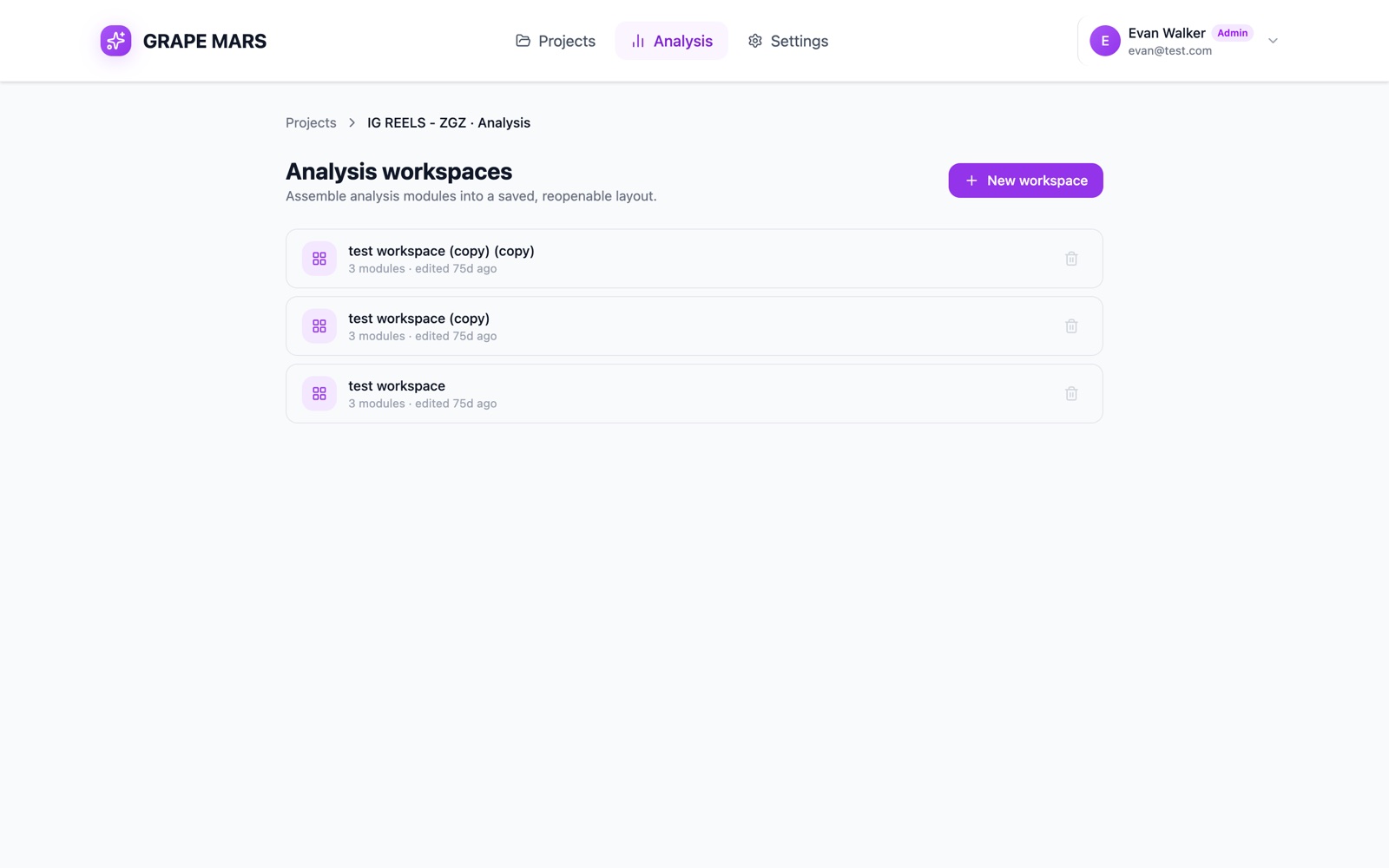
- Trail: Projects, then the project name and Analysis. Click a part to go back.
- Heading: "Analysis workspaces", with the line "Assemble analysis modules into a saved, reopenable layout."
- New workspace: makes a page named "Untitled workspace" and opens it.
- The list: one row per workspace. Click a row to open it.
- Row detail: under the name, a count of modules. It also shows the time of your last edit, such as "4 modules · edited 2d ago".
- Bin: removes that row at once. There is no question and no undo.
When you have no workspaces yet, the list is replaced by a panel headed "Create your first workspace". Its button carries the same name, New workspace.
Each workspace belongs to one person and one project. You see your own pages here, not those of your colleagues. Your videos and annotations are shared as usual.
Old analysis addresses now land on this screen. Open the page you want, and bookmark that instead.