Appearance
Sign in and register
What this screen is for: to let you into GRAPE MARS, or to set up a new account.
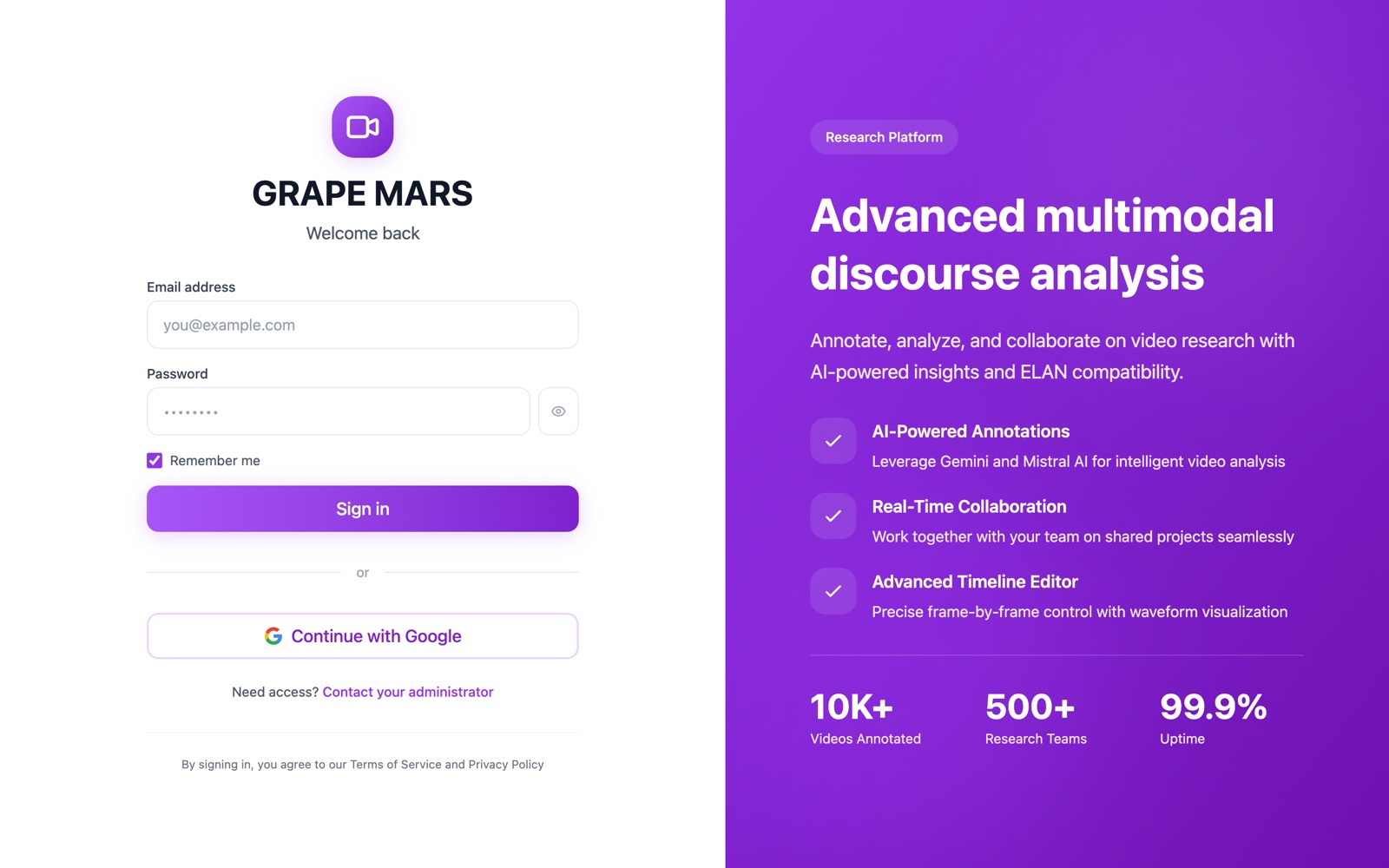
The sign-in page
The site opens here at /login. The form sits on the left. On a wide screen, a purple panel on the right describes the platform. Nothing in that panel is a button.
- Email address: the email of your account. Type it in lower case.
- Password: your password. The eye button at the right shows the letters.
- Remember me: ticked for you. With the tick your sign-in lasts 30 days. Without it, 24 hours.
- Sign in: signs you in and opens your projects.
- Continue with Google: signs you in with a Google account that uses the same email. This sign-in lasts 7 days, whatever Remember me says. Nobody has tested this button on the live site yet.
- Contact your administrator: opens a new email to the team.
A wrong password and an unknown email give the same red line: Invalid credentials. This keeps other people from learning who has an account.
The register page
This page sits at /register. The sign-in page has no link to it, so type the address yourself.
- First Name and Last Name: your name, in 2 boxes.
- Email: the email you will sign in with.
- Password: a list of 4 rules opens as you type. Each rule turns green when your password meets it.
- Confirm Password: the same password again.
- Create Account: makes the account and signs you in.
- Sign in: goes back to the sign-in page.