Appearance
Projects
What this screen is for: it lists every project you own or share, and it is where you make a new one.
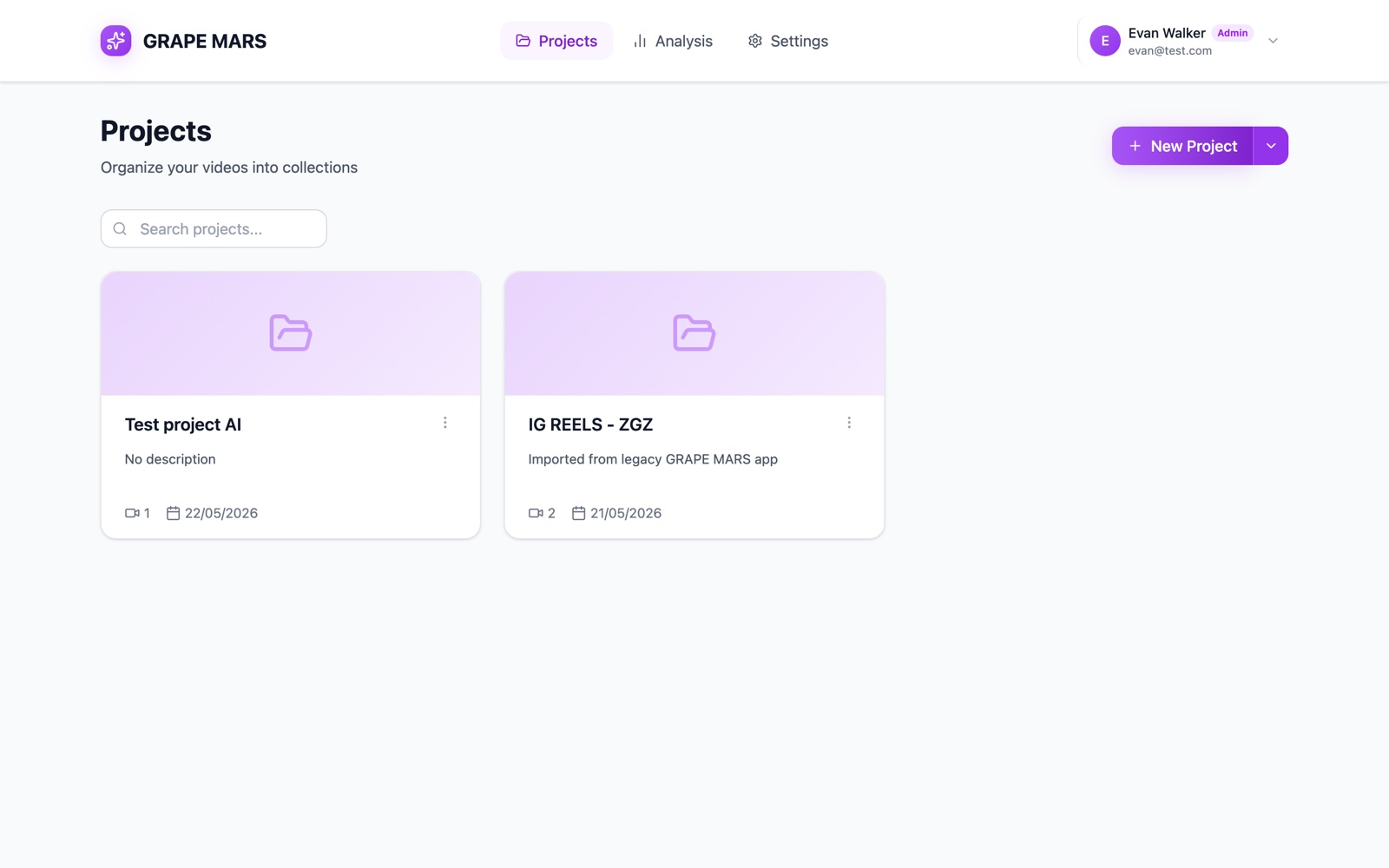
- Top bar: the name GRAPE MARS on the left. Then Projects, Analysis and Settings. Your name and picture sit on the right.
- Title: the word Projects, with the line "Organize your videos into collections" below it.
- New Project button: opens a window that makes a project. The small arrow beside it opens a menu with Upload a Video, New Project and Import Legacy Project.
- Search box: type here to keep only the cards whose name matches.
- Project card: one card per project. It shows a coloured band, the name, the description, how many videos it holds, and the day you made it. Click the card to open its videos.
- Card menu: the three dots at the top right of a card. It holds Rename and Delete project.
- Faces: small round faces on a card mean the project is shared.
- Start cards: with no projects yet, three large cards show instead: Upload a Video, New Project and Import Legacy.