Appearance
Create a project
Make a new project to hold your videos and your work. You choose its library as you create it.
Before you start
- Project: what a project holds.
- Library: the set of annotation types a project uses.
Steps
- Open the Projects page. GRAPE MARS lists your projects.
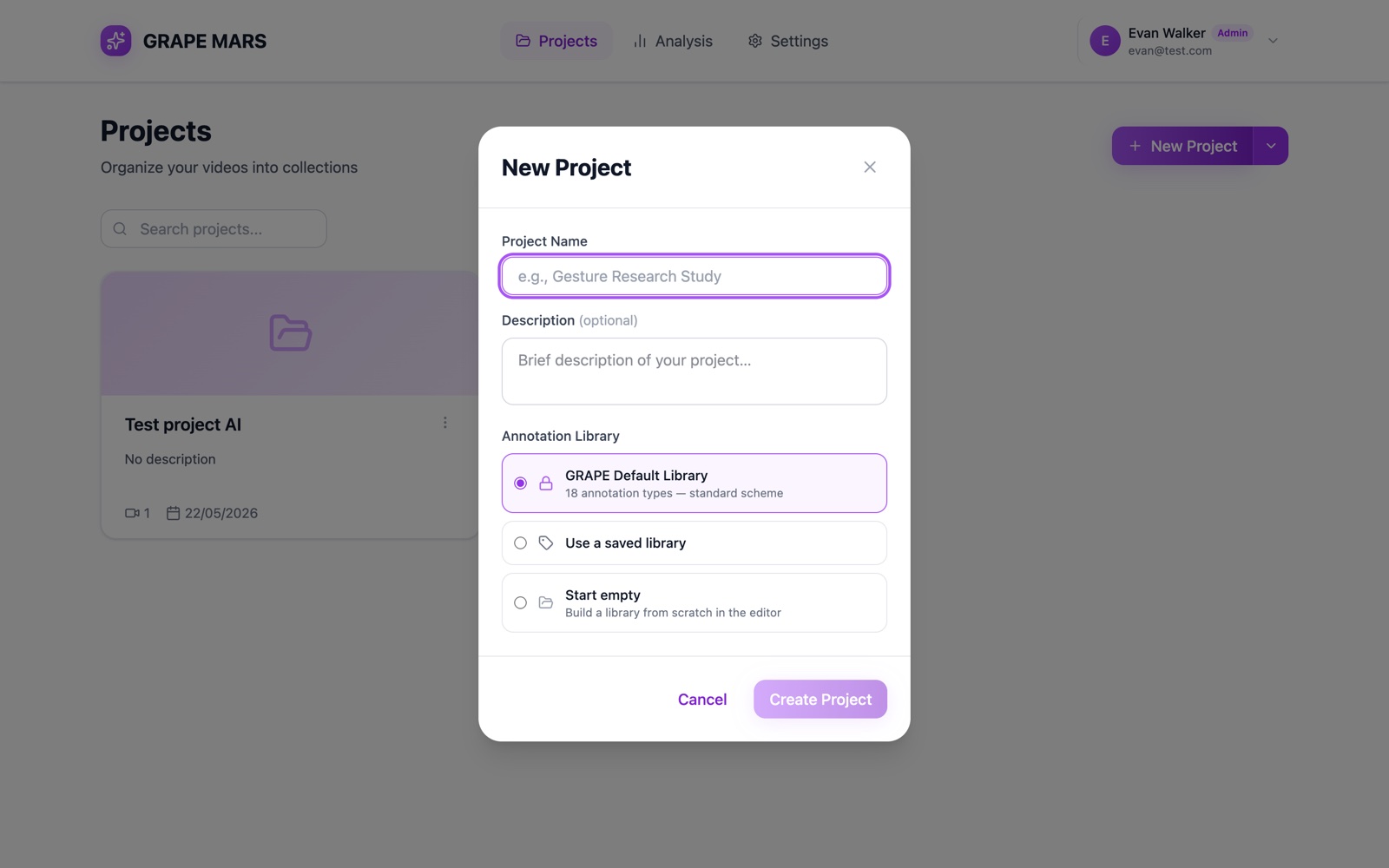
- Click New Project. A window opens.
- Type a name in Project Name. The button at the foot turns on.
- Type a short text in Description. This step is optional.
- Select one choice under Annotation Library. A purple border marks your choice.
- Click Create Project. The new project opens.
Your three choices in step 5:
- GRAPE Default Library: the standard set of types.
- Use a saved library: pick one of your own from the list.
- Start empty: build the library later.
Check it worked
The page shows your project name at the top. Below it you read "No videos yet".