Appearance
Keyboard shortcuts
Work faster in the annotator with the keyboard. This page lists every shortcut and says which ones work today.
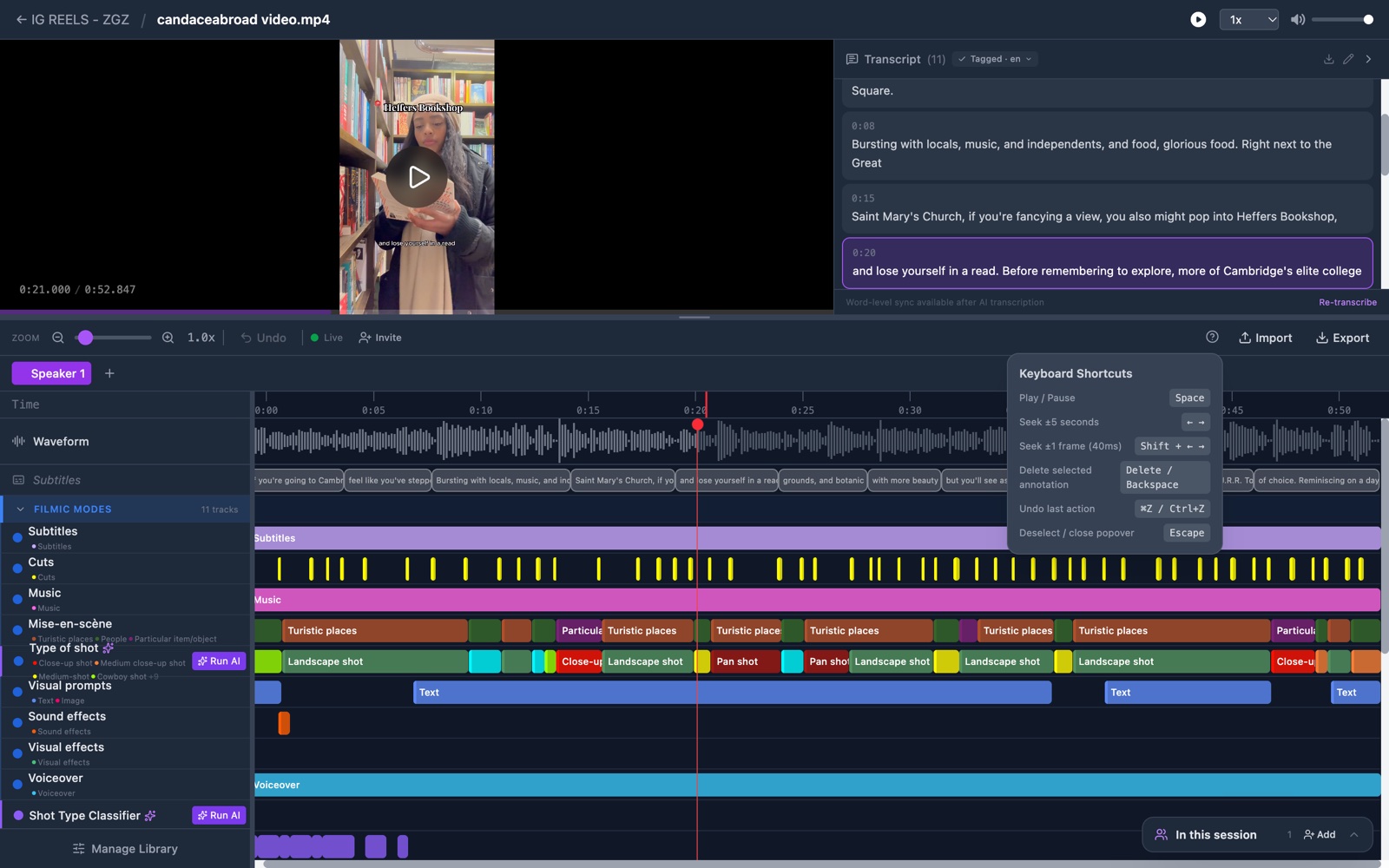
Open the list on screen
- Click the question-mark icon in the toolbar. Its tooltip reads Keyboard shortcuts. A short list of shortcuts opens.
- Press the ? key. This opens and closes the same list.
The full list
| Keys | What it does |
|---|---|
| Space | Play or pause |
| Left or Right arrow | Move 5 seconds back or forward |
| Shift + arrow | Move one frame, which is 40 ms |
| Delete or Backspace | Delete the marked bar |
| Cmd+Z or Ctrl+Z | Undo the last change |
| Escape | Drop the marked bar, or close a box |
| Cmd+Shift+C or Ctrl+Shift+C | Close every group in the track panel (fixed in the next update) |
| Cmd+Shift+E or Ctrl+Shift+E | Open every group in the track panel (fixed in the next update) |
| ? | Open or close the shortcut list |
The list on screen shows the first 6 rows. Of the last 3 rows, only ? works today. The track panel is the list of tracks at the left of the timeline.
When shortcuts do nothing
Keys do nothing while the cursor is in a text box or a list. Click empty space on the timeline first, then press the key.
Check it worked
Press Space. The video starts, and the page does not scroll.