Appearance
Create an annotation by dragging
Mark a moment on a track by dragging, and give the new annotation its value.
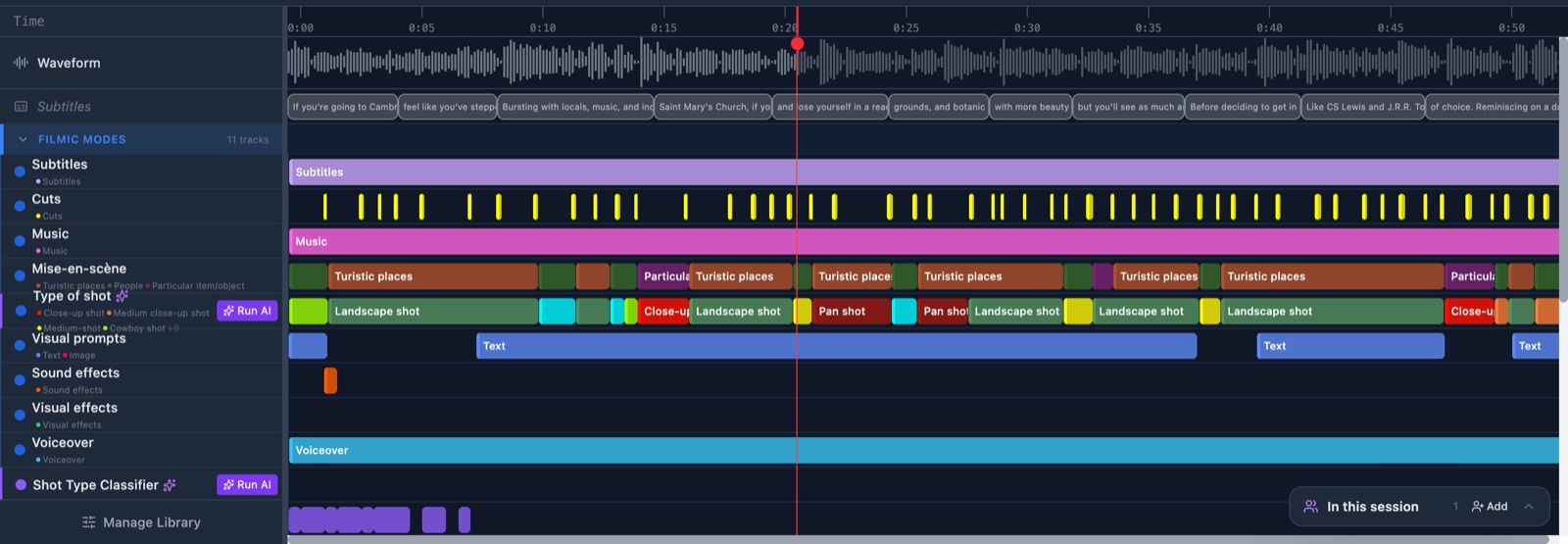
Before you start
Steps
- Click the tab of the speaker you are working on. The timeline shows that speaker's work.
- Press the left mouse button on empty space in a track row. The pointer is a cross on every track row.
- Drag to the right or the left. A dashed outline follows your mouse.
- Drop the mouse button. A list headed Select type opens where you let go.
- Click a sub-type in the list. A coloured bar appears on the track.
When no list opens
The list only opens when the track has 2 or more sub-types.
- With no sub-types, GRAPE MARS creates the bar at once and uses the track name as its value.
- With one sub-type, GRAPE MARS creates the bar at once and uses that sub-type.
- On a free-text track, a small box opens instead. See Use free-text tracks.
Press Escape to close the list without making anything.
Check it worked
The bar sits on the track and carries the value you picked. A drag shorter than 0.1 seconds makes nothing, so drag a little further if no bar appears.
Your new bar belongs to the speaker tab that was open, and to you as the coder.