Appearance
Declare a language to start tagging
Set the language of this video, which starts tagging by itself. There is nothing else to press.
Before you start
- A video with a transcript. Tagging reads the text, not the sound.
- The editor or owner role on the project.
Steps
- Open the video in the annotator. The transcript panel sits at the right of the player.
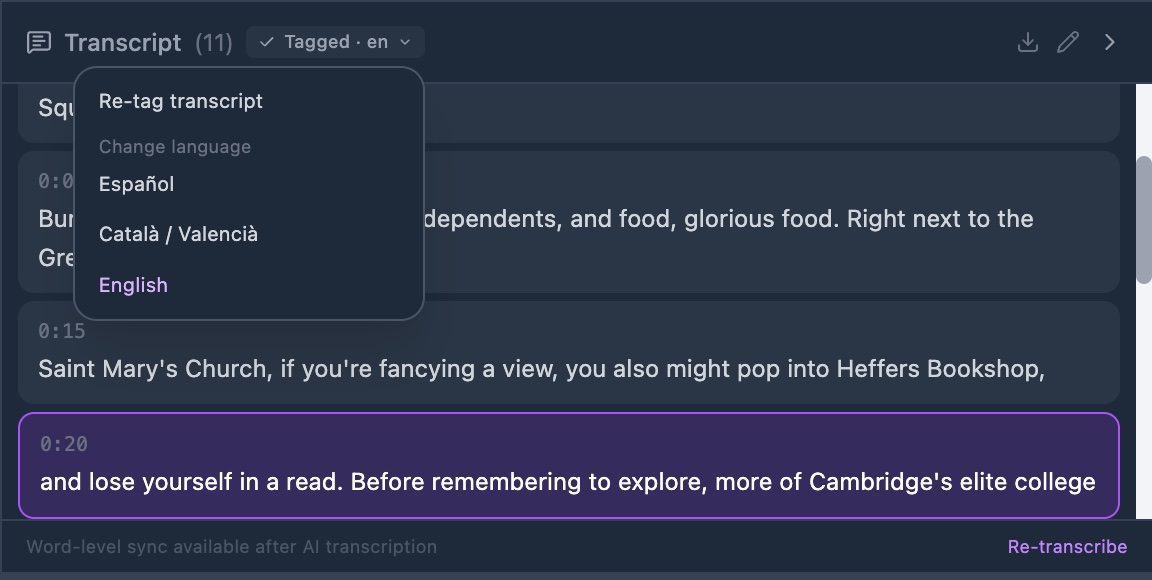
- Click the chip that reads Set language. A short menu opens under it.
- Select Español, Català / Valencià or English. The chip changes to Tagging…
- Wait for the chip to change again. It reads Tagged · es, with your own language code.
Check it worked
The chip is quiet and grey, with a tick and the code of the language.
Setting the language is the whole start button. There is nothing else to press.
Tagging works in 3 languages. Pick the main one when a video mixes 2 languages: tagging handles one language for each video.
The language also helps the AI transcription. GRAPE MARS passes it as a hint on the next run.