Appearance
Read the tag status chip
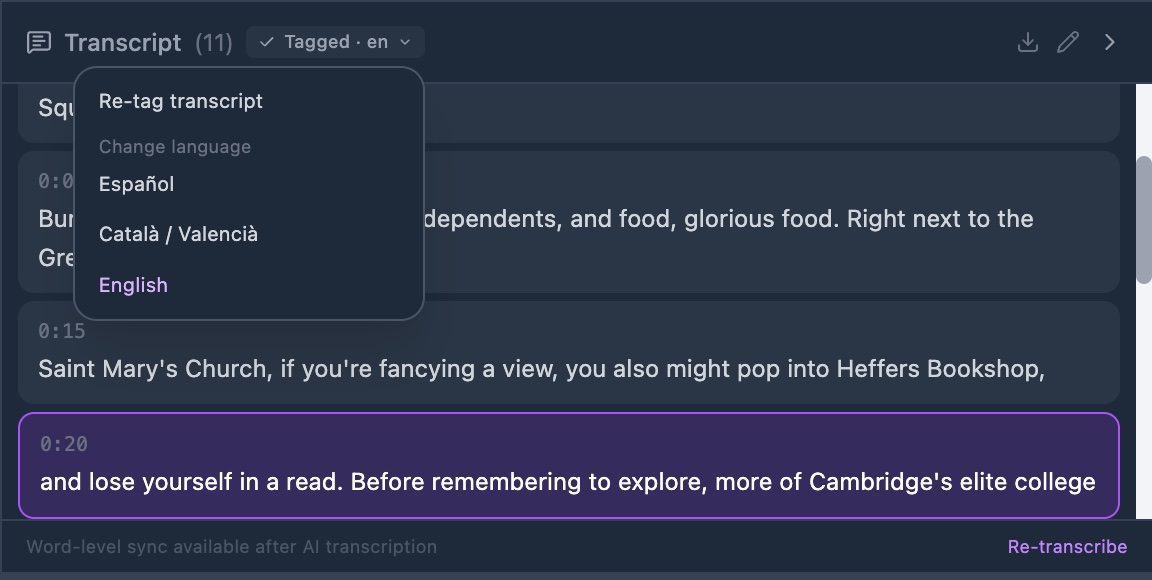
Read the state of tagging for this video from the chip in the transcript panel header.
Before you start
- A video with a transcript open in the annotator.
Steps
- Open the video in the annotator. The transcript panel sits at the right of the player.
- Click the chip in the panel header. It sits after the word Transcript and the number of lines. A menu opens, or the state changes.
Check it worked
The chip reads one of these:
- Set language: no language yet. Click it and pick one. Tagging then starts.
- Tag transcript: the language is set, but the text has no tags. Click it to run.
- Tagging…: a run is going. The chip looks again every 4 seconds.
- Tagged · en: the text is tagged. The code is the language.
- Re-tag needed: you changed the language after the last run. Click and choose Re-tag transcript.
- Tagging failed · retry: the run stopped. Click to try again.
Rest your pointer on the chip. A note tells you more, such as why a run failed.
The chip shows even when the video has no transcript yet. It reads Set language until you pick one.