Appearance
Add a module
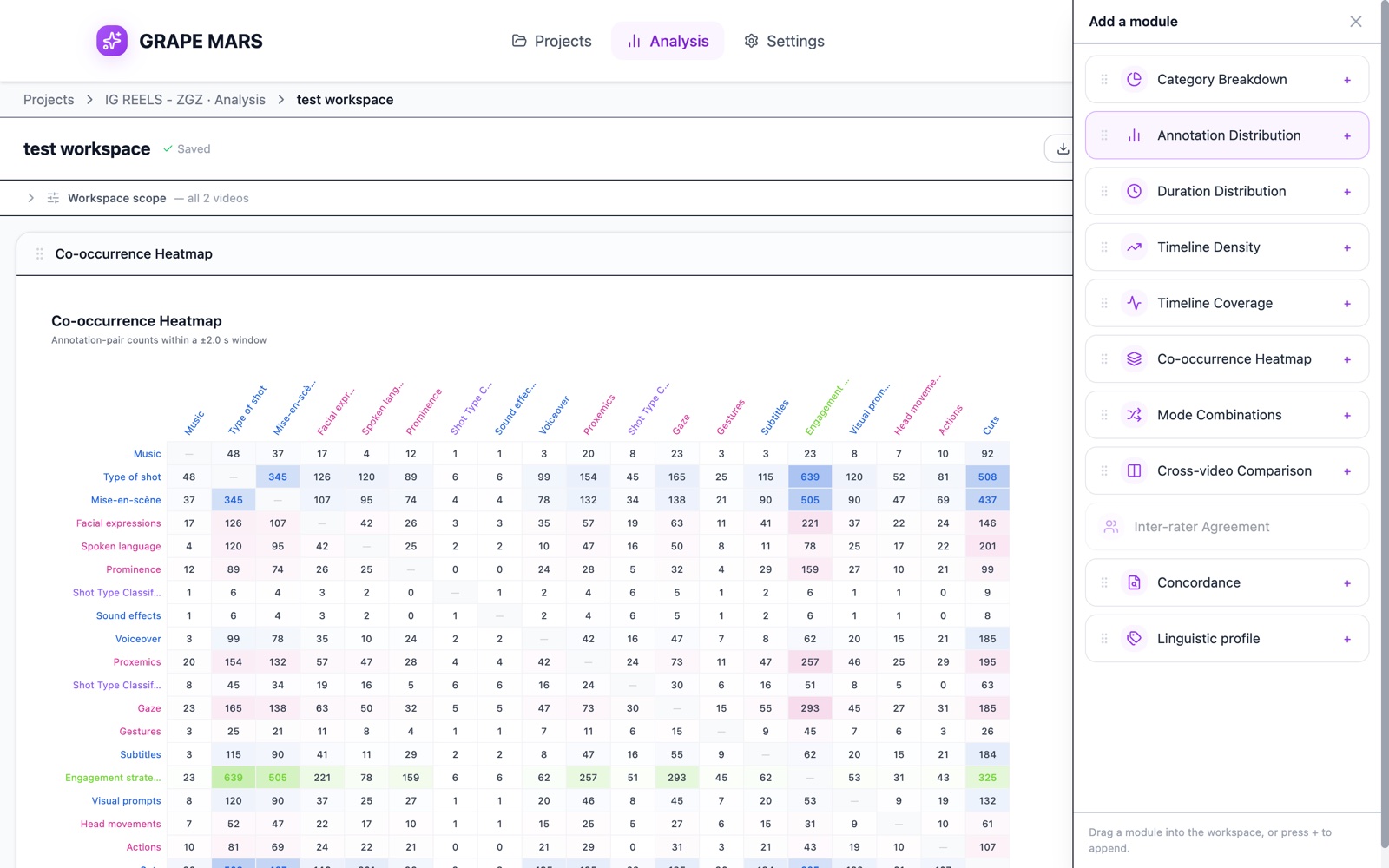
Put one chart, table or search on your analysis page. Each one is a module you drag from a drawer.
Before you start
Steps
- Click Add module at the top right. A drawer named "Add a module" opens on the right.
- Drag a name from the drawer onto the large empty area. A line shows where the module will land.
- Drop it there. The module appears on the page and draws itself.
Check it worked
The module shows its own title bar and its chart or table. GRAPE MARS saves the page for you.
If the page is empty, it shows "An empty workspace" with a button named Add your first module. That button opens the same drawer.
You can also click the small + at the right of a name in the drawer. GRAPE MARS then puts that module at the end of the page. This is the easier way on a trackpad.
There are 11 modules. Inter-rater Agreement can be added to any workspace. Add it, then open its Scope override and pick the one video it should look at. (Until the next update the palette greys this module out unless the workspace was opened from a single-video analysis link.)