Appearance
Invite a collaborator
Add a colleague to your project, so they can code its videos with you. Only the owner can do this.
Before you start
- You must own the project. Only the owner can add people. See Role.
- Your colleague needs a GRAPE MARS account. An invite finds an account that is already there.
- You need the email address they signed up with.
Steps
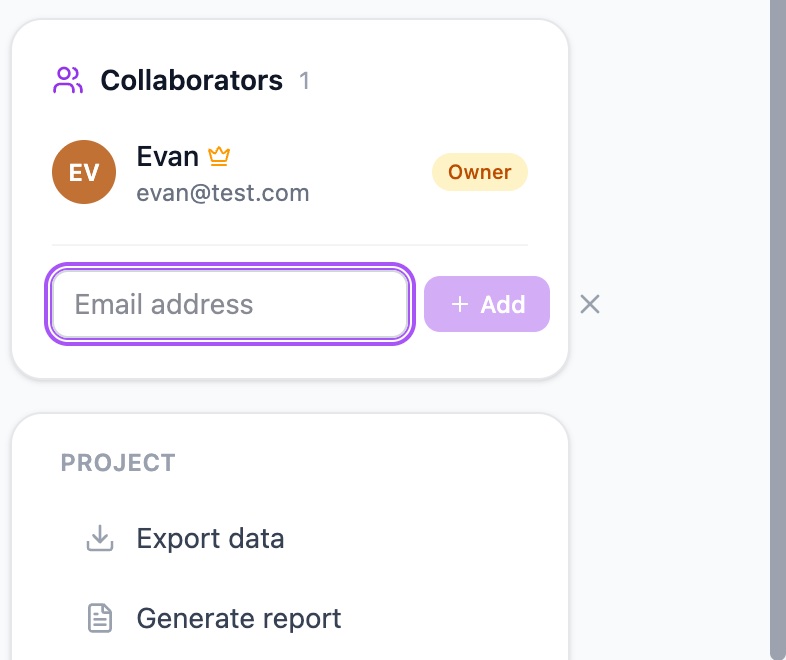
- Open the project page. The Collaborators panel lists the people on this project.
- Click Add collaborator. A box asks for an email address.
- Type the email address of your colleague. After 3 letters, GRAPE MARS looks for accounts and lists what it finds.
- Click Add next to the right name. The name joins the list with the badge Member.
If no name is listed, the panel says "No account found for this email". Check the spelling first. Then ask your colleague which email they signed up with.
You can also invite from the annotator. In the toolbar, click Invite. The same panel opens. GRAPE MARS shows Invite only while you are the one person in the video.
Check it worked
The Collaborators panel lists your colleague. Their badge reads Member, and the number next to the heading goes up by 1. They can now open the videos of this project and make annotations. GRAPE MARS sends no email, so tell them yourself.