Appearance
Edit your profile
Change the name on your account. Other people see this name next to your work.
Before you start
Steps
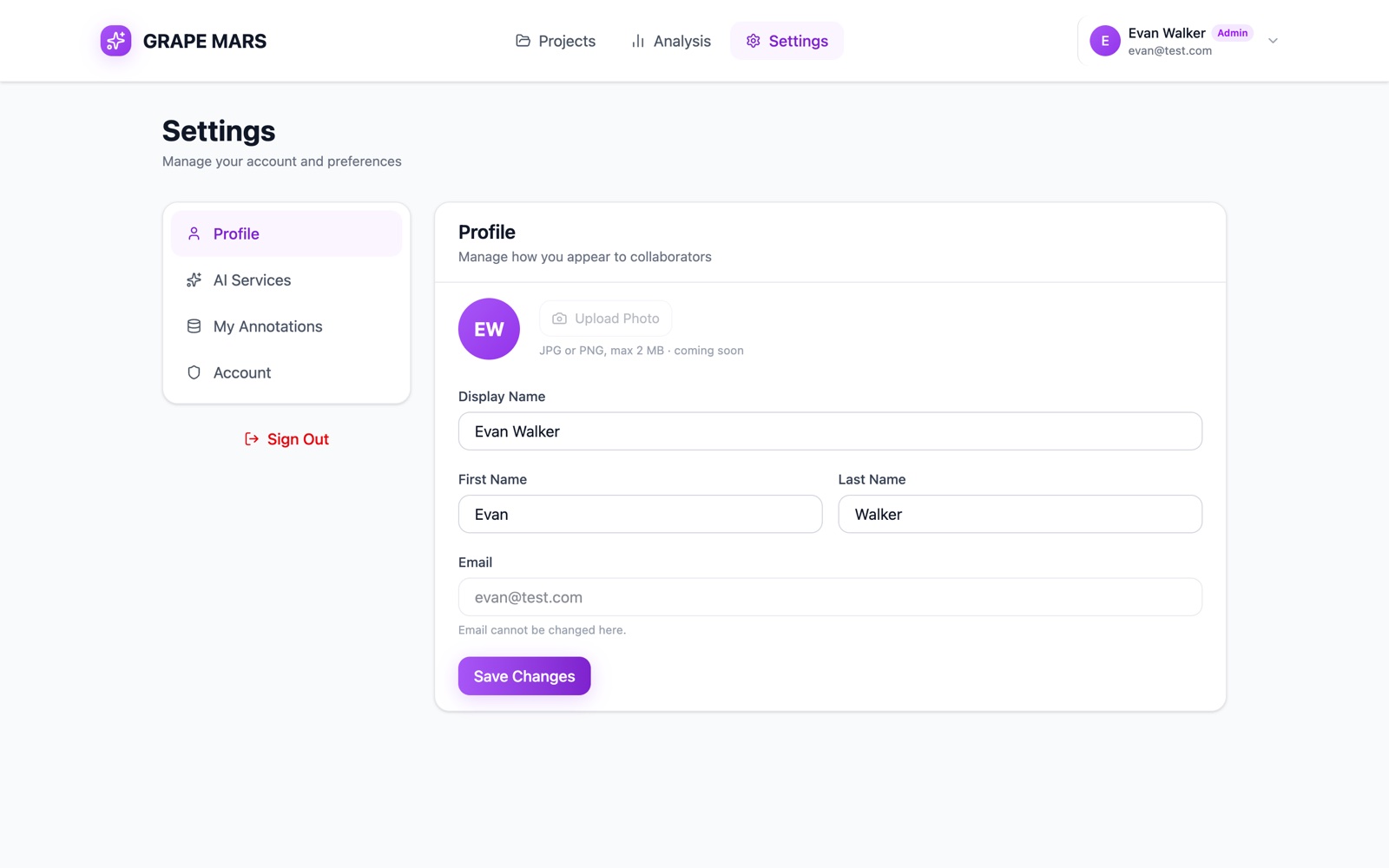
- Open Settings from the bar at the top of the page. The settings page opens on the Profile tab.
- Type your given name in First Name. The box holds your name as you type.
- Type your family name in Last Name. The Display Name box changes to match.
- Click Save Changes. A green line reads Profile saved.
(This is new in the next update. Until then the button does not save.)
Display Name is the name your project partners see. GRAPE MARS builds it from your 2 names, so you cannot type in it. To change it, change First Name or Last Name.
What you cannot change here
- Email. The box is grey and locked. Ask your administrator if your email is wrong.
- Your photo. Upload Photo is grey and marked coming soon. Until then GRAPE MARS draws a round badge with the first letters of your name. A Google account shows its own picture.
Check it worked
A green line reads Profile saved. Your new name shows at the top right of the page. Open the page again: the 2 boxes hold your new name.