Appearance
Module: Linguistic profile
Add a chart that counts word classes, dictionary forms or names across your tagged transcripts.
Before you start
Steps
- Click Add module. The drawer opens on the right.
- Click + next to Linguistic profile. The module lands at the foot of the page.
- Click the settings button in its title bar. A panel opens with 3 settings.
- Select a value under Dimension. The bars redraw.
Check it worked
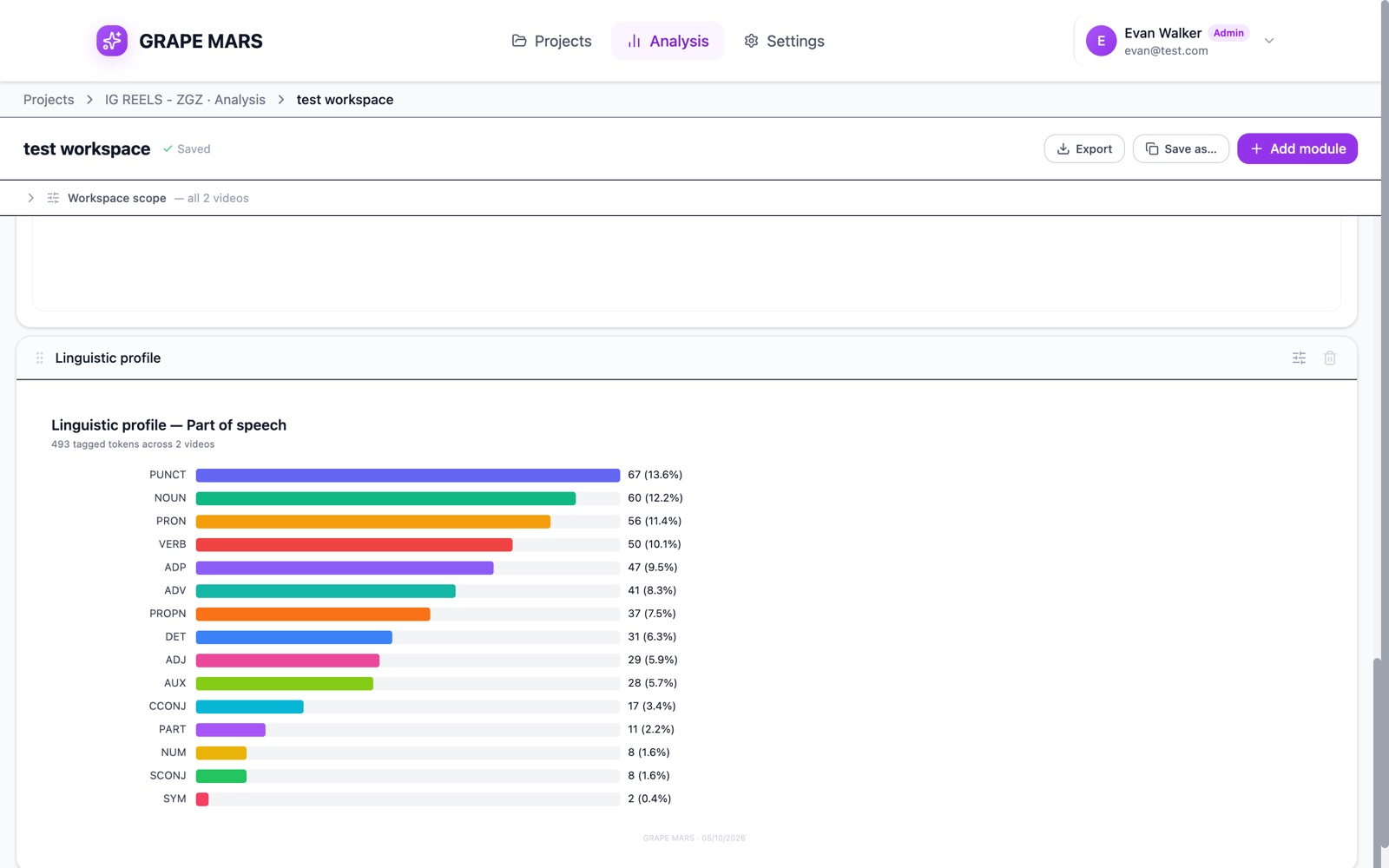
The card names the measure and the size of the sample. For example, it can read "Linguistic profile — Part of speech" with "8,412 tagged tokens across 3 videos".
Dimension offers 3 choices.
- Part of speech counts word classes, such as noun or verb. See part of speech.
- Lemma frequency counts dictionary forms. See lemma.
- Named entities counts names of people, places and dates. See named entity.
Top N sets how many rows you see, from 5 to 30. Breakdown gives you either one set of bars for everything, or one stacked bar per video.
The module reads only videos that tagging has finished. If none is tagged, the card tells you to tag one first.
The Excel sheet holds the measure, Count and Share %. Per video adds a second sheet.